

A cadence, start to finish
A cadence is one campaign: the companies you’re going after, the people in them, and everything you do to reach them. Here is one being built in the app.
-
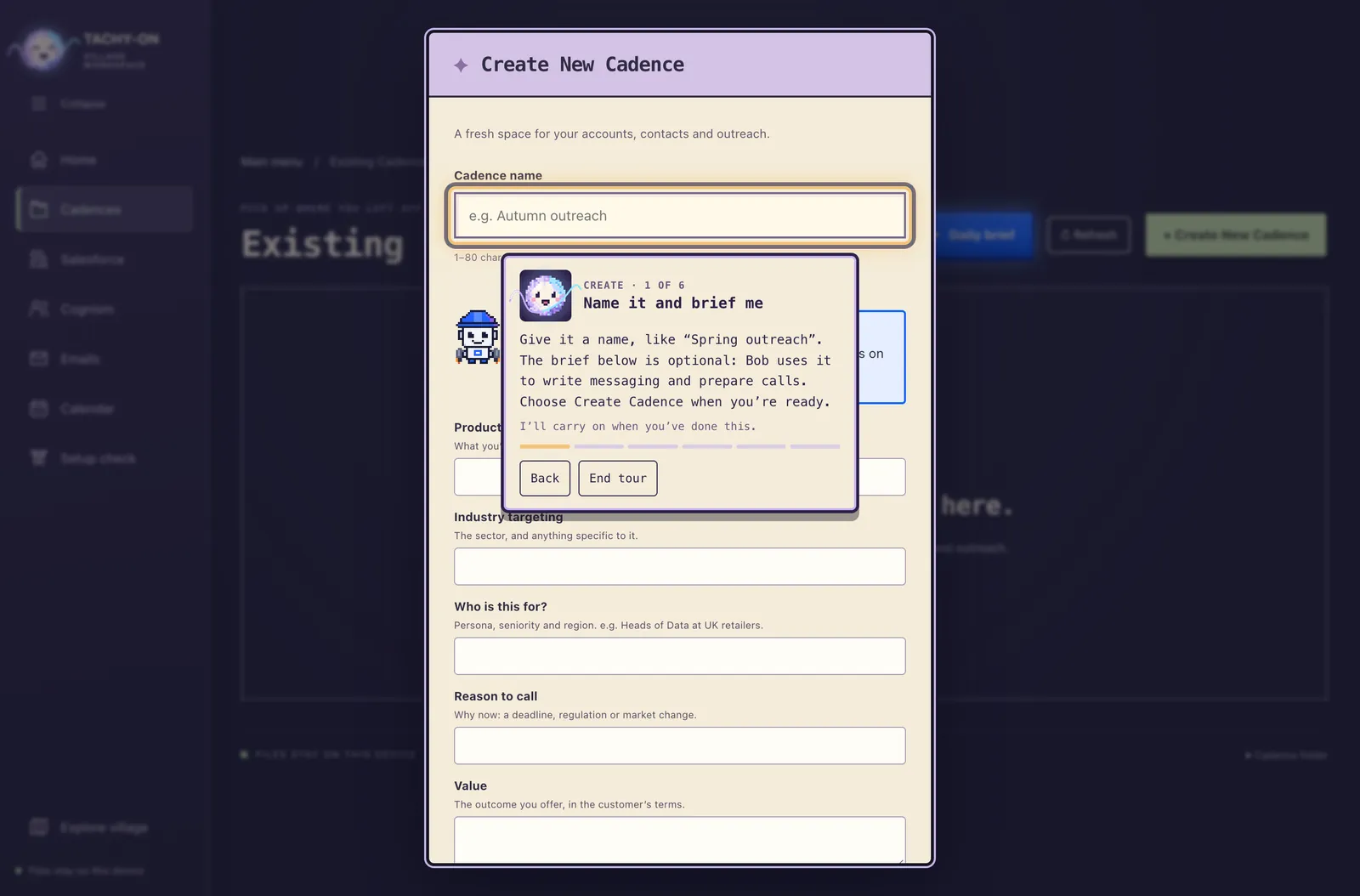
Create the cadence
Give it a name. Add a short brief about the product, the industry and who it’s for, and Bob uses it to write your messaging and prepare your calls.
-
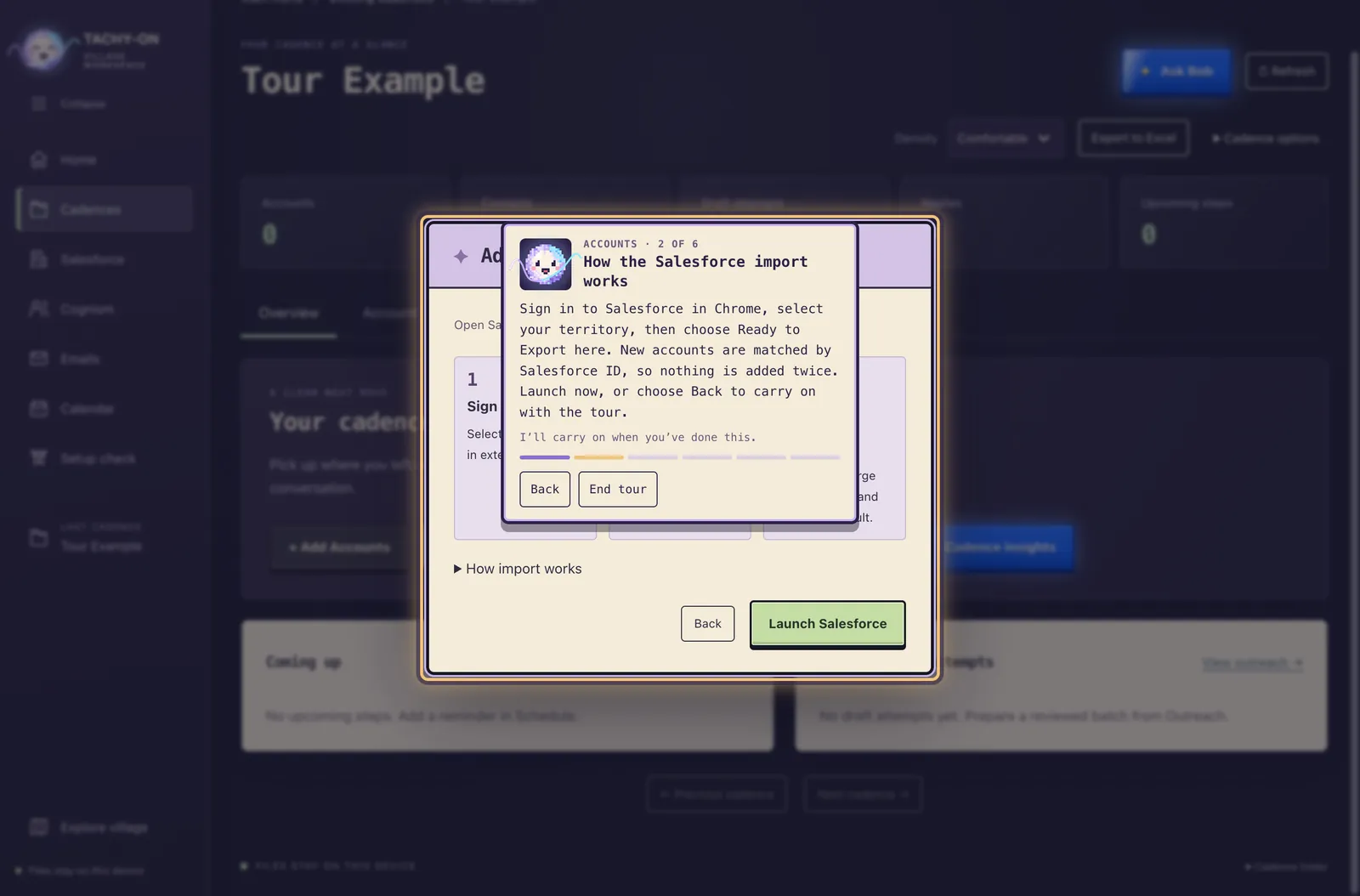
Add your accounts
Sign in to Salesforce in Chrome, pick your territory, and the accounts come across. Each one is matched by its Salesforce ID, so nothing is added twice.
-
Import the people
The workspace turns into The Event Horizon. Tachyon asks how to search Cognism, how many pages to save and whether to send the list to Salesloft, then reports every contact as it’s read.

-
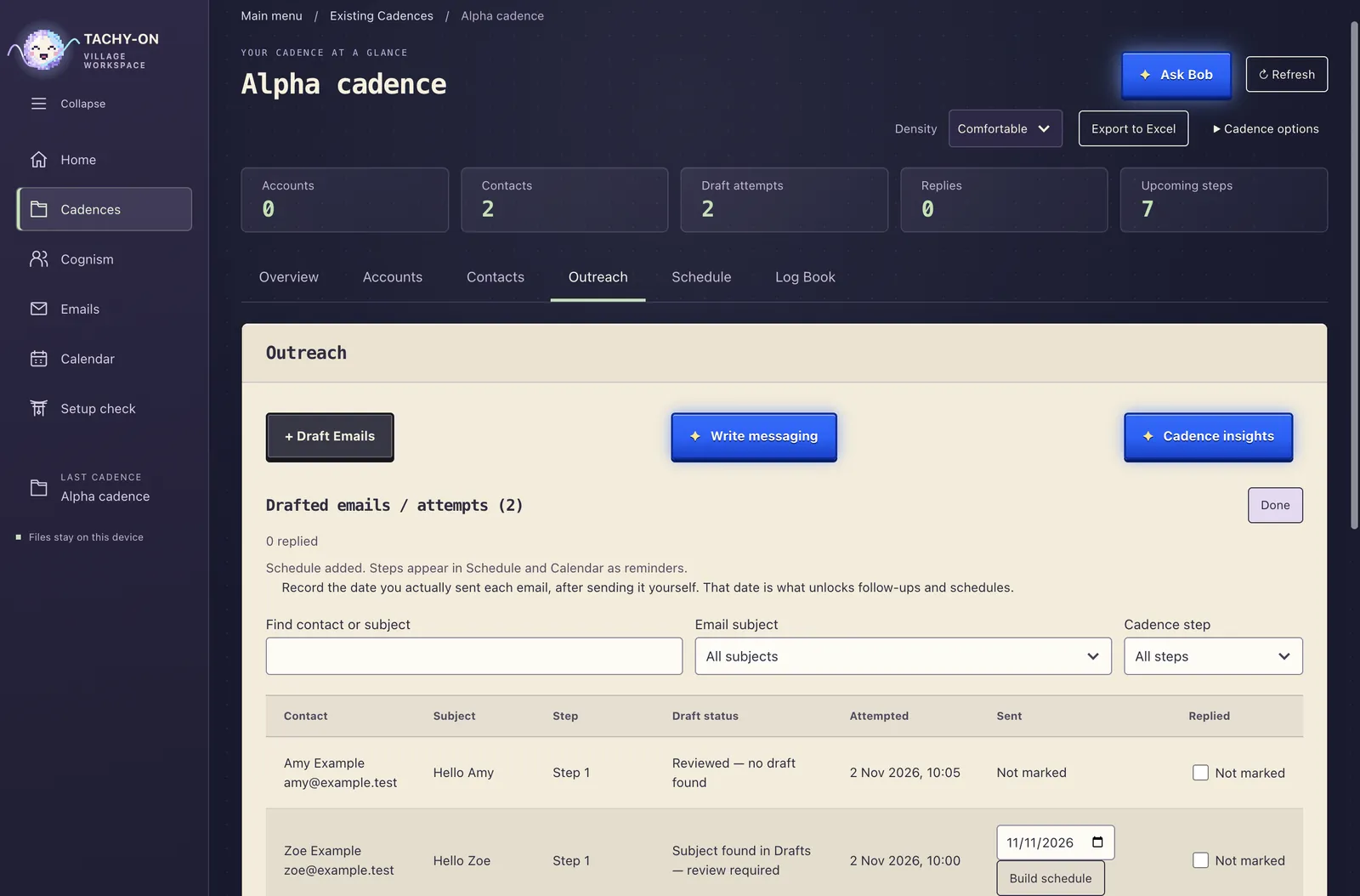
Draft your emails
Choose the recipients, write the message or ask Bob for one, and approve the preview. Outlook saves them as drafts for you to check and send yourself.
-
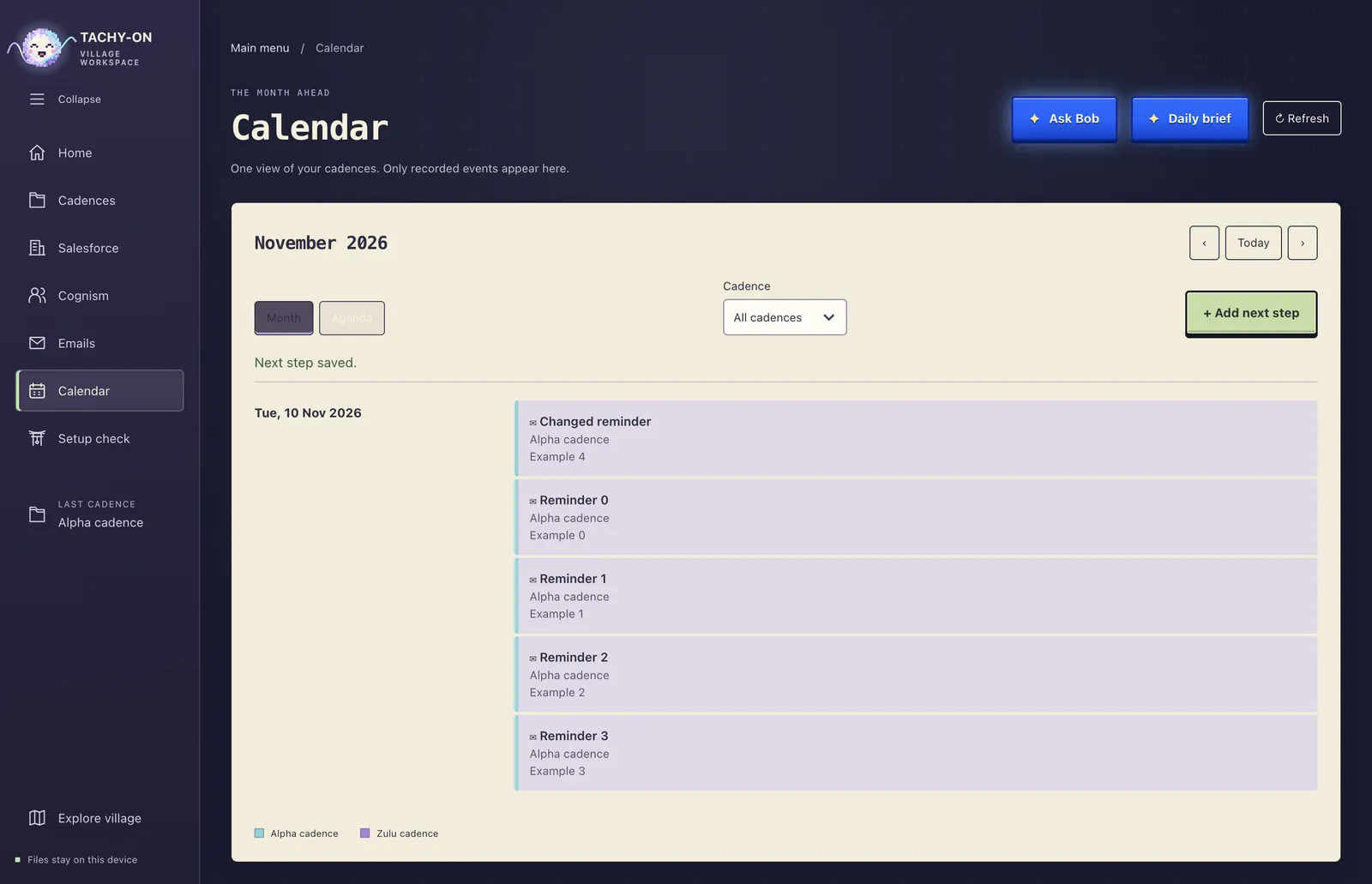
Plan what comes next
Add follow-up calls and emails as next steps. Every cadence’s plan meets in one calendar, so you can see the whole week at once.
-
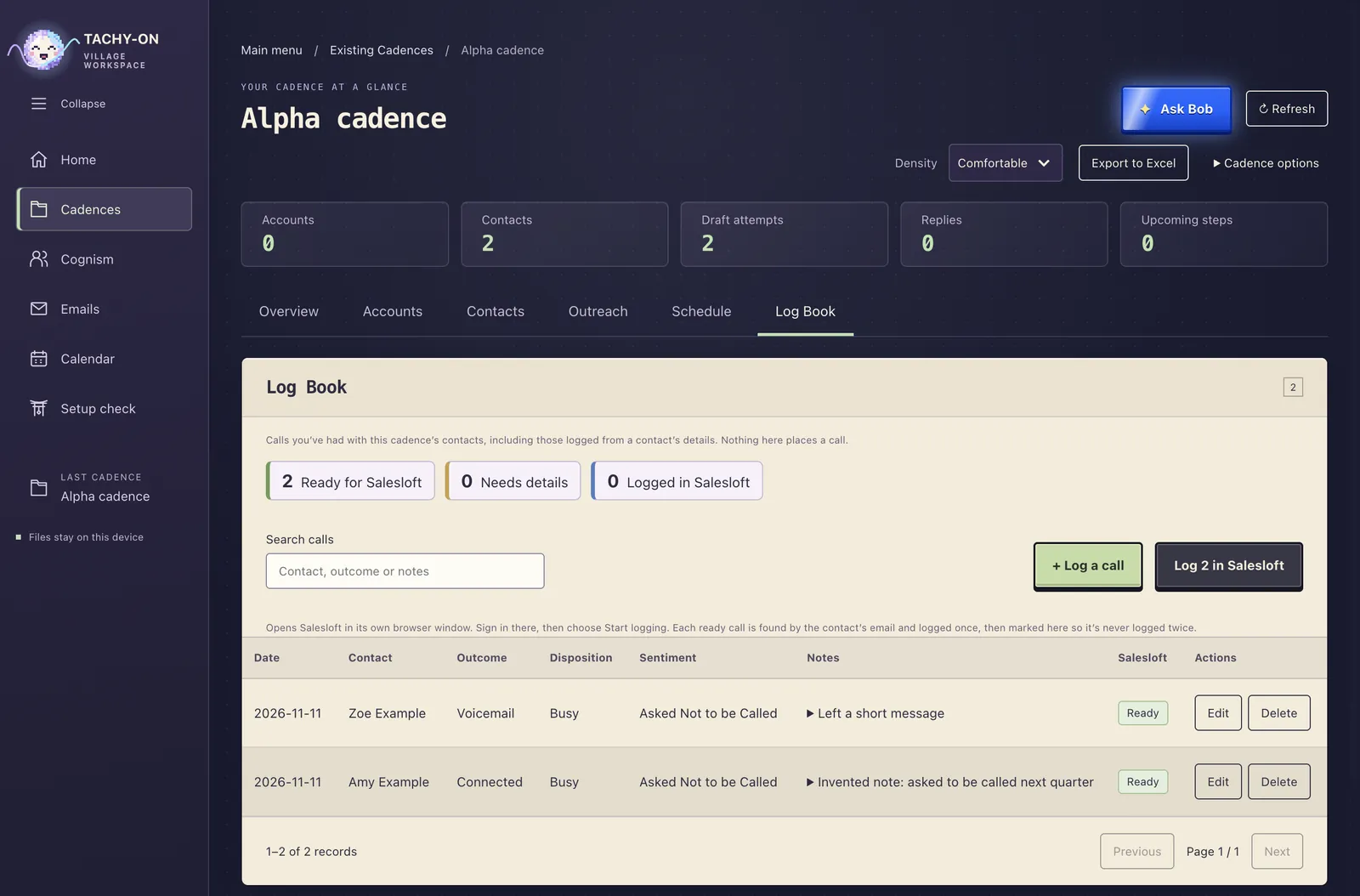
Log your calls
After each call, note who, when, the outcome and what was said. One button logs them all in Salesloft, and each call is logged once, even if something goes wrong halfway.
What it never does on its own
- It never sends an email. Outlook only ever saves drafts. Sending is always you.
- It never signs in for you. Salesforce, Cognism, Outlook and Salesloft open in Chrome, and you sign in there.
- It never makes up progress. Every count you see is one the import actually reported.
- It never sends your data anywhere new. Your cadences are files on your own computer.
Get Tachyon Village
For macOS and Windows. Imports need Google Chrome, plus Python with Playwright; the app’s setup check tells you if anything is missing.
The first public version isn’t out yet. This is where the downloads will be.
Questions
Is this a website or an app?
An app you install on your computer. This page explains it and will link to the downloads.
Where is my data kept?
In a Tachyon folder in your Documents: one folder per cadence, with your accounts and contacts as spreadsheet files you can open yourself.
Which tools does it work with?
Salesforce for accounts, Cognism for contacts, Outlook for email drafts and Salesloft for calls and contact lists. You use your own accounts for each.
Who are Tachyon and Bob?
Tachyon is the glowing orb who runs the bar and talks you through imports. Bob is the robot assistant who writes messaging, prepares your calls and gives you a daily brief.